



You don’t need to be hacked, scammed, or “addicted” to have tech problems. A lot of the damage comes from tiny routines that feel normal: checking one more notification, reusing a password because it’s easier, letting apps track you “for convenience,” or scrolling in bed until your brain forgets how to power down. This article breaks down ten everyday habits that start harmless but slowly turn into security risks, money leaks, attention drains, and sleep wreckers, and what to do instead. None of these fixes requires a detox. They’re swaps that reduce friction, protect your data, and make your devices work.
1. Sleeping Next to Your Phone

Keeping your phone on the pillow or nightstand feels harmless, but it trains your brain to stay “on call.” Late-night scrolling delays melatonin, blue light nudges your sleep window later, and even silent notifications create a mental check-loop. Over time, you get lighter sleep, groggier mornings, and more stress spikes because your day starts in reaction mode. Put the phone across the room, use a real alarm, and set a wind-down: Do Not Disturb plus a cutoff time for feeds, email, and news. Charge it outside the bedroom if you can, so “one more check” isn’t an option.
2. Reusing the Same Password (or Small Variations)

Reusing one password across sites is basically a master key you keep lending out. When one service gets breached, attackers try the same login everywhere: email first, then shopping, banking, and social. Small variations like “Password1!” or swapping a symbol don’t help much because they’re predictable and easy to brute-force. Use a password manager, generate unique long passwords, and enable multi-factor authentication. Prefer an authenticator app or passkeys when available instead of SMS codes. If the manager feels like effort, start by protecting email first, it’s the reset button for everything.
3. Leaving Bluetooth and Wi-Fi On Everywhere
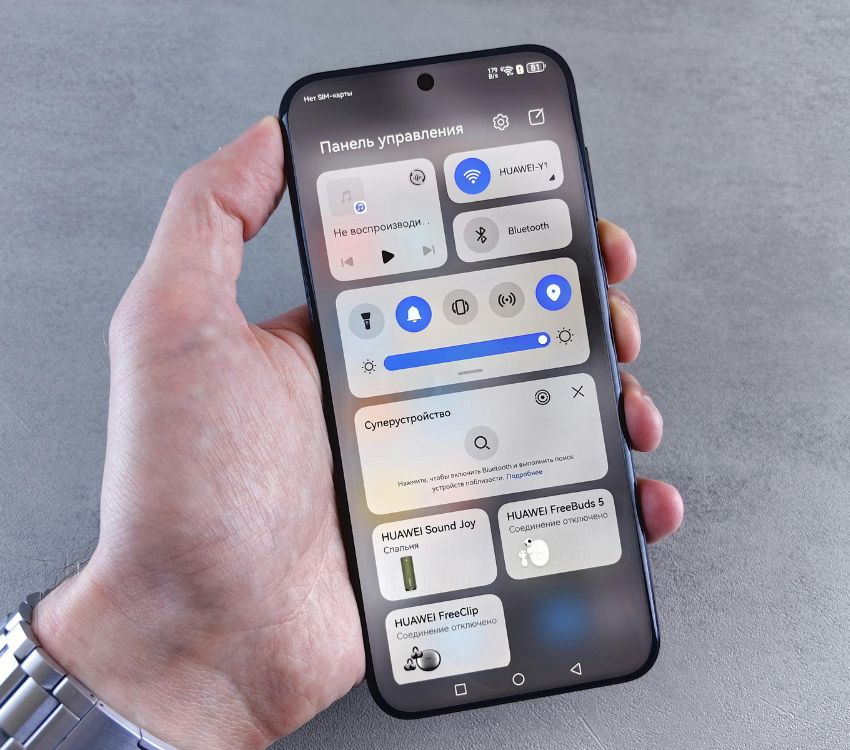
Leaving Bluetooth and Wi-Fi on all day is convenient, but it increases exposure to tracking and opportunistic attacks. Devices broadcast identifiers that can be used to map movement patterns, and auto-join can connect you to sketchy hotspots with similar names. Some attacks rely on nearby connections, and the risk rises in crowded places like airports. Turn off radios you’re not using, disable auto-join, and forget public networks after you leave. When traveling, use your own hotspot and a trusted VPN for public Wi-Fi. On iOS/Android, also disable Wi-Fi/Bluetooth scanning if you don’t use it.
4. Clicking “Allow” on Every App Permission
Apps ask for permissions like it’s no big deal: contacts, location, microphone, photos, and background tracking. Many requests are optional, but if you tap “Allow” by reflex, you give apps a long-term data firehose that can be sold, shared, or used to profile you. This also increases risk if the app gets breached. Audit permissions monthly; for “While using the app,” turn off background location and deny mic/camera access unless you truly need them. Also, review ad-tracking settings and limit cross-app tracking where your phone allows it. You’ll usually lose nothing except creepy personalization.
5. Using Public USB Charging Ports

Plugging into a random USB port at an airport or café feels normal, but a USB carries data as well as power. In worst-case scenarios, a compromised port or cable can trigger file access prompts or exploit device flaws. Even when the risk is low, the fix is cheap and consistent. Use your own wall charger, carry a power bank, or use a charge-only cable/USB data blocker. Lock your phone before you plug in, keep file-transfer prompts disabled, and avoid unknown “free” cables handed out at events. If you must use public power, choose AC outlets over USB ports. It’s safer too.
6. Letting Tabs and Notifications Multiply

Keeping dozens of tabs open and letting notifications ping nonstop makes you feel “productive,” but it quietly wrecks focus. Each notification is a context switch that burns attention and makes tasks take longer, and tab clutter becomes a constant low-grade stressor. The result is more scrolling, more procrastination, and less deep work. Turn off nonessential notifications, batch-check messages at set times, and use a one-inbox rule for tabs: keep only active ones, bookmark the rest, and close everything at the end of the day to reset your brain. Your work will feel slower for a week, then faster after.
7. Assuming Cloud Backups Mean You’re Safe

Cloud backup sounds like a guarantee, but it often isn’t. Sync is not the same as backup: if you delete a file, get locked out, or get hit with ransomware, those changes can sync everywhere. Storage limits, billing issues, or account compromises can also cut off access at the moment you need it. Use the 3-2-1 approach: three copies of important data, two different storage types, one offline. Export key photos and documents periodically, keep an encrypted local drive, and make sure you can actually restore files, not just upload them. Test restores once to make sure it works.
8. Ignoring Updates Because They’re Annoying

Ignoring updates because they’re annoying is one of the easiest ways to stay vulnerable. Many updates patch known security holes that attackers actively exploit, sometimes within days of disclosure. Staying behind means you’re running software with publicly documented weaknesses, and older routers can be especially risky. Schedule updates for low-impact times, enable automatic security patches, and restart when prompted so fixes actually apply. If a device or app stops receiving updates, treat it like expired food: stop relying on it for sensitive accounts and plan a replacement.
9. Impulse-Buying Subscriptions and “Free Trials”

Subscriptions are designed to be forgettable: one-click trials, “annual savings,” and auto-renewal tucked into settings. Harmless at first, it becomes a monthly leak that adds up fast, plus it spreads your payment details across more vendors and support systems. Do a quarterly subscription audit using your bank statements and app store history, then cancel from the source (not just deleting the app). Use a virtual card or a dedicated payment method for trials, and set calendar reminders a few days before renewal dates so you can decide with a clear head. Keep receipts for cancellations.
10. Sharing Too Much in Photos and Posts

Sharing photos and posts casually can expose more than you intended. Images may include metadata like location and time, background screens can reveal emails or addresses, and repeated “everyday” posts make routines obvious to strangers. Even harmless check-ins can become a pattern map. Turn off location tagging for your camera, review what’s visible before sharing, and delay posts from real-time locations, especially during travel. If the content involves kids, workplaces, or future plans, default to less detail, tighter privacy settings, and a smaller audience. Small wins add up.